 TEKZARO
Gadgets
ChatGPT can now look at your Chrome tabs to do tasks for you
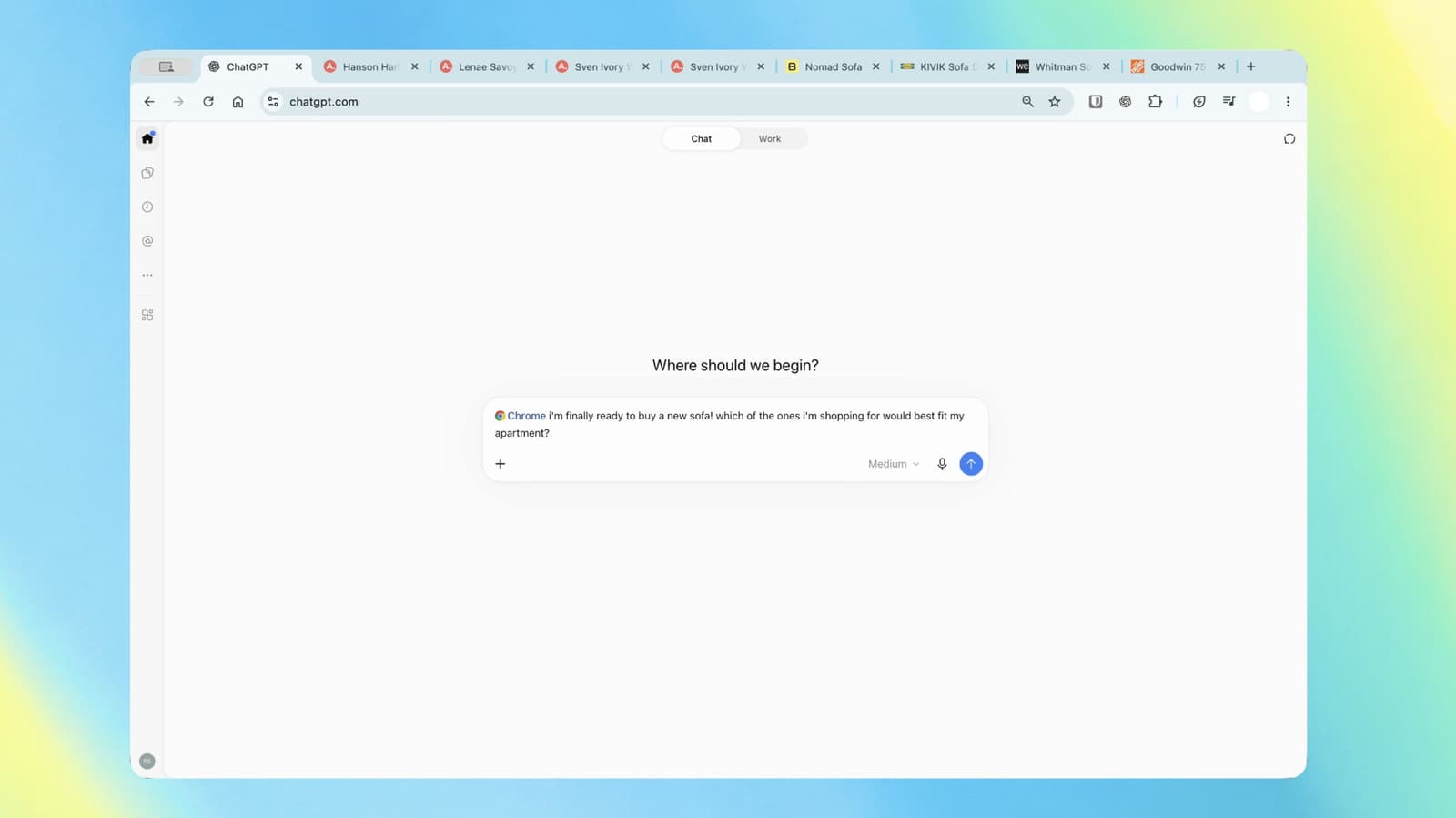
OpenAI has upgraded ChatGPT’s Chrome extension, allowing the AI assistant to use information from users’ open browser tabs and help complete tasks without requiring users to copy and paste information manually.
Announced on October 15, 2026, the update brings browser assistance closer to everyday workflows, including research, shopping comparisons, form preparation and organising browser tabs.
ChatGPT Can Read Information Across Open Tabs
With the updated extension, users can mention Chrome in ChatGPT to provide context from their open tabs. This can help the assistant compare information across multiple websites and produce answers based on pages the user is already viewing.
For example, users can ask ChatGPT to compare prices and specifications across shopping websites, collect vendor information from several tabs, or summarise details from different sources.
This could be particularly useful for journalists, researchers, students and professionals who regularly work with information spread across multiple webpages.
Work Mode Can Take Actions in the Browser
The update also introduces more direct browser interaction through ChatGPT’s Work experience.
Depending on availability and permissions, ChatGPT can help carry out tasks such as:
- Filling out online forms.
- Sending messages through supported websites.
- Downloading files.
- Organising open tabs into groups.
- Gathering information from several pages for a comparison.
Rather than simply explaining how to perform each step, the assistant can help execute parts of a multi-step workflow inside the browser.
Users should still review important information and check the results before completing consequential actions, particularly when submitting forms or sending messages.
What Does This Mean for Users?
The change could reduce repetitive work. Someone researching a product, for instance, may be able to ask ChatGPT to compare several open listings instead of entering each product’s details separately.
For journalists, it could simplify source comparisons and background research. For businesses, it may help with routine web-based administration, information gathering and document preparation.
However, the quality of the results still depends on the information available on the webpages, the assistant’s interpretation and the permissions granted.
Privacy and Control Still Matter
Browser access can expose information displayed on open webpages, including material from signed-in accounts. Users should understand which tabs and websites they are allowing ChatGPT to access.
OpenAI’s browser guidance recommends reviewing the active account, approving website access when prompted, and entering passwords directly into the browser rather than into the chat.
Users should also verify the information entered into forms and review messages before they are sent.
Availability
The new capabilities are being introduced through ChatGPT’s Chrome integration. The exact experience may vary depending on the browser, app version, account and workspace settings.
Users who do not see the functionality immediately may need to check that the relevant extension and ChatGPT app are up to date and that browser access is available to their account.
The bottom line: ChatGPT is moving beyond answering questions about webpages and toward helping users act on information across their browser. If the feature works reliably in everyday use, it could make research and routine online tasks considerably more efficient.
Sources
Related Articles